
Creating professional voiceovers used to require a good microphone, a quiet recording room, and sometimes a professional voice actor. Today, artificial intelligence has made the process much faster.
With modern AI voice generators, creators can turn written scripts into natural-sounding speech for videos, podcasts, presentations, advertisements, tutorials, and social media content.
Some tools also offer voice cloning, multilingual narration, emotion controls, and audio editing features.
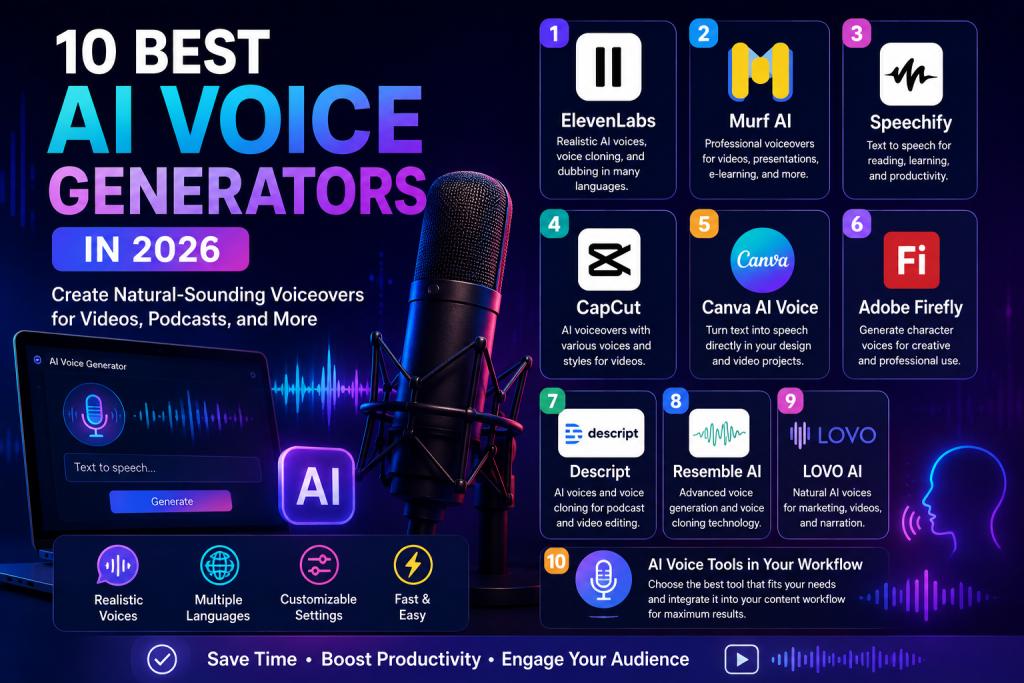
In this article, we explore 10 AI voice generators that are worth trying in 2026.
What Are AI Voice Generators?
AI voice generators are software applications that use artificial intelligence to convert text into spoken audio.
Instead of recording every sentence manually, you can write a script, choose a voice, and generate the narration.
Depending on the platform, you may also be able to:
- Create text-to-speech audio
- Choose different voices
- Adjust speaking speed
- Change pitch and tone
- Add emotional styles
- Create multilingual voiceovers
- Clone your own voice
- Edit generated narration
- Create podcast audio
- Produce video voiceovers
This technology can be especially useful for content creators who publish frequently.
However, voice cloning should only be used with appropriate permission and according to the platform’s terms.
1. ElevenLabs
ElevenLabs is one of the best-known platforms for AI-generated speech and voice technology.
The platform provides AI voices, text-to-speech, voice cloning, dubbing, and other audio capabilities. Its current product updates also include multilingual dubbing and expressive voice technology. (elevenlabs.io)
Creators can use ElevenLabs for:
- YouTube narration
- TikTok voiceovers
- Podcasts
- Audiobooks
- Character voices
- Dubbing
- Educational content
One of its strengths is the focus on natural-sounding speech and expressive delivery.
For creators who want to produce content for international audiences, multilingual capabilities can also be useful.
You can explore the official ElevenLabs website.
Best for: Natural voiceovers, creators, dubbing, and multilingual content.
2. Murf AI
Murf AI is another popular option for creating professional voiceovers from text.
Murf provides text-to-speech tools that allow users to select voices, languages, and voice styles. Users can also adjust settings such as speed, pitch, pronunciation, and pauses. (murf.ai)
Murf can be useful for:
- Explainer videos
- Presentations
- Advertisements
- Training materials
- YouTube videos
- Podcasts
- E-learning
The platform is designed for creators and businesses that need consistent narration without recording every script manually.
Murf also provides broader voice solutions for developers, businesses, and content creators. (murf.ai)
Best for: Professional voiceovers, presentations, training, and business content.
3. Speechify
Speechify is known for text-to-speech and voice-based productivity features.
The platform can turn written content into spoken audio, making it useful for people who prefer listening instead of reading.
Speechify currently describes itself as a voice AI productivity assistant that combines text-to-speech, voice interaction, AI notes, research, and other features. (speechify.com)
You can use it for:
- Reading documents
- Listening to articles
- Voice-based productivity
- Narration
- Learning materials
- Audio content
For people who spend a lot of time reading documents, text-to-speech can make information easier to consume while traveling or doing other tasks.
Explore the official Speechify website.
Best for: Text-to-speech, productivity, reading, and accessibility.
4. CapCut
CapCut is especially useful for creators who want to combine AI voice generation with video editing.
Its AI voice tools can convert scripts into voiceovers and provide different voice styles, languages, speeds, and tones. (capcut.com)
This makes CapCut convenient for short-form content.
You can use it to create:
- TikTok narration
- Instagram Reels
- YouTube Shorts
- Facebook Reels
- Product videos
- Tutorials
- Promotional videos
CapCut also allows creators to edit the generated audio directly within the video workflow.
That means you do not necessarily need one application for voice generation and another application for video editing.
Best for: Short-form video, social media, and quick voiceovers.
5. Canva AI Voice
Canva also provides AI voice generation directly inside its design environment.
Its AI voice generator can convert text into speech and offers different AI voices and languages. Canva says the tool can be used for videos, advertisements, presentations, podcasts, and other projects. (canva.com)
This is useful because you can create a voiceover and then immediately place it into a video or presentation.
Canva can be used for:
- Social media videos
- Presentations
- Advertisements
- Educational content
- Product demonstrations
- YouTube videos
Canva also provides AI voice-changing and voice-cloning capabilities, with some advanced features available depending on the plan. (canva.com)
Best for: Design, presentations, social media, and simple voiceovers.
6. Adobe Firefly
Adobe Firefly has expanded beyond image generation and also provides AI-powered audio capabilities.
Adobe’s Firefly AI character voice generator can create custom speech for characters and creative projects. It can be used for animation, gaming, instructional videos, documentaries, and voiceover projects. (adobe.com)
This makes Firefly interesting for creators who already work with Adobe’s creative ecosystem.
Potential uses include:
- Character dialogue
- Animation
- Games
- Tutorials
- Documentaries
- Creative storytelling
Best for: Creative professionals, animation, and Adobe workflows.
7. Descript
Descript combines AI voice generation with audio and video editing.
Its AI Voices feature allows users to generate speech from text and create a voice clone for their own voice. Descript says its voice tools can also help fix mistakes or add new narration without recording the entire section again. (descript.com)
This is particularly useful for podcasters and video creators.
Imagine recording a 20-minute video and discovering that you forgot one sentence.
Instead of recording the entire video again, an AI voice workflow can allow you to correct the missing section using generated narration.
Descript can be useful for:
- Podcasts
- YouTube videos
- Tutorials
- Online courses
- Voiceovers
- Audio editing
Best for: Podcasts, video editing, and voice cloning.
8. Resemble AI
Resemble AI focuses on generative voice technology and voice-related applications.
Its platform supports AI voice generation, voice transformation, and voice-related safety technologies. Resemble also provides tools for developers and businesses that need more control over generated speech. (resemble.ai)
The platform can be useful for:
- Voice applications
- Narration
- Games
- Business applications
- AI assistants
- Custom voice experiences
Resemble also emphasizes voice safety and deepfake detection, which is increasingly important as synthetic audio becomes more realistic.
Best for: Developers, businesses, custom voices, and voice applications.
9. LOVO AI
LOVO AI is another platform designed around AI voice generation and voiceover creation.
It can be useful for creators who need narration for videos, advertisements, educational content, and other projects.
Common applications include:
- Marketing videos
- YouTube content
- E-learning
- Presentations
- Advertisements
- Character narration
When choosing a voice platform, creators should compare voice quality, available languages, editing controls, licensing terms, and pricing rather than looking only at the number of voices.
Best for: Marketing, narration, education, and creative projects.
10. AI Voice Tools Inside Your Existing Workflow
The final option is not a single platform.
Instead, it is the idea of choosing an AI voice tool that fits the applications you already use.
For example:
CapCut can be convenient if you create short videos.
Canva can be useful if you already create presentations and social media graphics.
Descript is interesting if you edit podcasts and videos.
Murf AI can be useful for professional-style presentations and business narration.
ElevenLabs can be a strong option for creators who prioritize natural-sounding speech and multilingual content.
The best AI voice generators are therefore different for every creator.
How to Choose the Best AI Voice Generator
With so many options available, choosing the right one can be difficult.
Before selecting a platform, consider these factors.
Voice Quality
The most important factor is how natural the generated speech sounds.
Listen to sample voices before choosing a platform.
Language Support
If your audience is international, check whether the platform supports the languages and accents you need.
Voice Customization
Some tools allow you to control speed, pitch, emotion, pauses, and pronunciation.
More control can be useful for professional narration.
Voice Cloning
If you want to create a digital version of your own voice, check whether the platform supports voice cloning and what consent requirements apply.
Commercial Usage
If you plan to monetize your videos, advertisements, podcasts, or other content, carefully check the platform’s current licensing and commercial-use terms.
Do not assume that every voice generated under a free plan can automatically be used for commercial purposes.
How to Create a Better AI Voiceover
The quality of your voiceover depends not only on the AI model but also on your script.
A good script should sound natural when spoken.
Instead of writing:
“Artificial intelligence is a technology that can provide assistance to users in completing various tasks.”
Try:
“AI can help you complete everyday tasks faster.”
Shorter sentences are often easier for AI voices to deliver naturally.
You can also improve your voiceover by:
- Using short paragraphs
- Adding punctuation
- Writing natural dialogue
- Avoiding unnecessarily complicated sentences
- Checking pronunciation
- Adjusting speaking speed
- Adding pauses between ideas
The final audio should sound like someone is communicating with the audience rather than simply reading a document.
Can AI Voice Generators Create Realistic Voices?
Yes. Modern AI voice generators can create speech that sounds increasingly natural.
Current platforms can reproduce elements such as:
- Pauses
- Intonation
- Pronunciation
- Speaking speed
- Emotional tone
- Accents
- Conversational rhythm
However, quality varies between platforms, voices, languages, and use cases.
For important projects, always listen to the complete generated audio before publishing it.
Are AI Voice Generators Free?
Some platforms offer free access or limited free usage.
Others use credits, subscriptions, or pay-as-you-go pricing.
For example, Canva states that its AI voice generator can be used for free with limited voice options, while additional options may require an upgrade. (canva.com)
CapCut also provides a free AI voice generator with different voice and customization options. (capcut.com)
Murf offers free text-to-speech generation, while downloading generated MP3 files requires signing into its Studio according to its current product page. (murf.ai)
Because pricing and limits can change, always check the official website before choosing a service for long-term use.
Is AI Voice Safe to Use?
AI-generated voices can be useful, but responsible use is important.
Never clone or imitate another person’s voice without appropriate permission.
This is especially important when dealing with:
- Public figures
- Celebrities
- Customers
- Employees
- Voice actors
- Private individuals
If you are cloning your own voice, keep your original recordings secure and review the platform’s terms before uploading them.
Some companies are also developing technologies to identify synthetic audio and prevent voice misuse. Resemble AI, for example, combines generative voice technology with deepfake detection tools. (resemble.ai)
Best AI Voice Generators for Different Needs
Here is a simple way to choose.
| Need | Recommended Tool |
|---|---|
| Natural voiceovers | ElevenLabs |
| Business narration | Murf AI |
| Reading text aloud | Speechify |
| Short-form videos | CapCut |
| Presentations and design | Canva |
| Adobe creative workflows | Adobe Firefly |
| Podcast and video editing | Descript |
| Custom voice applications | Resemble AI |
| Marketing narration | LOVO AI |
These recommendations are based on the types of workflows each platform emphasizes. Features, plans, and availability can change over time.
Final Thoughts
The best AI voice generators can make content creation faster and more accessible.
Creators no longer need professional recording equipment for every project. A written script can be converted into narration in minutes, and some platforms can even help with voice cloning, multilingual content, and audio editing.
ElevenLabs is a strong option for creators who prioritize realistic voices. Murf is useful for professional narration, while CapCut is convenient for short-form video creators.
Canva works well for visual content, Descript combines voice generation with editing, and Adobe Firefly can fit into creative workflows.
The most important thing is to choose a tool that matches your actual needs.
If you also create video content, check out our free video editing apps guide on Zyra Group Online to find useful tools for editing your AI voiceovers.
Frequently Asked Questions
What are AI voice generators?
AI voice generators are applications that use artificial intelligence to convert text into spoken audio or create synthetic voices.
What is the best AI voice generator in 2026?
There is no single best option for everyone. ElevenLabs, Murf, Speechify, CapCut, Canva, Descript, Adobe Firefly, and other platforms are designed for different workflows.
Can AI voice generators sound like real people?
Modern AI voices can sound highly natural, but quality varies depending on the platform, voice, language, and settings.
Can I use an AI voice for YouTube?
Yes, AI-generated narration can be used for many types of video content, but creators should check the platform’s current licensing and commercial-use terms.
Can I clone my own voice?
Some AI voice platforms support voice cloning. Always follow the platform’s consent requirements and only clone voices you are authorized to use.
Are AI voice generators free?
Some provide free plans or limited free usage, while advanced features may require payment.
Can AI voices speak different languages?
Yes. Many modern AI voice platforms support multiple languages and accents, although the exact selection varies between services.

