
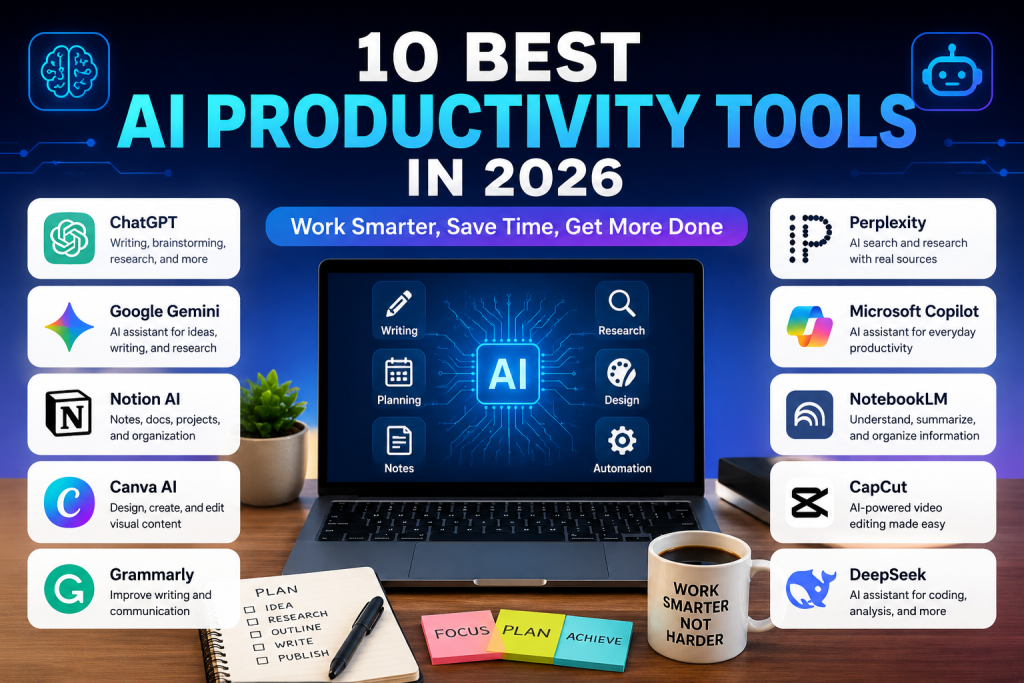
Artificial intelligence is changing the way people work, study, create content, and manage everyday tasks. With the right AI productivity tools, you can save time, organize information, generate ideas, and complete repetitive tasks more efficiently.
The number of AI applications continues to grow, but you do not need to use every new tool you find. The best approach is to choose AI productivity tools based on the specific tasks you want to improve.
In this guide, we will look at 10 useful AI productivity tools for writing, research, planning, design, note-taking, meetings, and content creation.
What Are AI Productivity Tools?
AI productivity tools are applications that use artificial intelligence to help users complete tasks more quickly or efficiently.
Depending on the application, an AI tool can help you:
- Write and edit documents
- Generate ideas
- Summarize information
- Research topics
- Organize tasks
- Create designs
- Take meeting notes
- Analyze information
- Create content
- Automate repetitive work
The important thing is to use AI as an assistant rather than relying on it blindly. Always review important information before publishing or using it.
1. ChatGPT
ChatGPT is one of the most versatile AI productivity tools available today.
It can help with writing, brainstorming, learning, research, coding, summarizing information, and many other everyday tasks.
For example, a blogger can use ChatGPT to create an article outline before writing the final article. A student can use it to understand a difficult topic, while a business owner can use it to brainstorm marketing ideas.
ChatGPT can help you:
- Create content ideas
- Write drafts
- Rewrite text
- Summarize information
- Brainstorm projects
- Analyze files
- Explain difficult concepts
- Create plans
OpenAI continues to add and improve features in ChatGPT. Its official release notes show ongoing updates to search, files, projects, memory, and other capabilities.
You can explore the official ChatGPT website to try it yourself.
Best for: Writing, brainstorming, research, learning, and general productivity.
2. Google Gemini
Google Gemini is another useful option for people looking for AI productivity tools.
Gemini can help users brainstorm ideas, write text, answer questions, and work with information.
It can be especially convenient for people who already use Google’s ecosystem.
You can use an AI assistant such as Gemini to:
- Generate ideas
- Draft emails
- Summarize information
- Learn new subjects
- Create content
- Organize thoughts
- Research topics
If you want to experiment with Google’s AI assistant, visit the official Google Gemini website.
Best for: Research, writing, brainstorming, and everyday assistance.
3. Notion AI
Notion has become popular for organizing notes, projects, documents, and tasks.
Its AI features add another layer of productivity by helping users search, write, summarize, and work with information inside their workspace.
According to Notion, its AI features can assist with tasks such as writing, research, meeting notes, searching connected information, and working with databases.
This makes Notion AI useful for people who want to keep their work and AI assistance in one place.
You can learn more from the official Notion AI website.
Best for: Notes, project management, documents, and organization.
4. Canva AI
Canva is widely used for graphic design, and its AI features can make the design process faster.
Canva’s current AI offering includes tools for creating and editing designs, generating elements, researching information, and working with designs through conversational instructions.
This can be particularly useful for content creators who need to produce images for blogs and social media.
You can use Canva AI for:
- Blog images
- Social media graphics
- Presentations
- Posters
- Thumbnails
- Visual content
- Design ideas
Try the official Canva AI tools to explore its current features.
Best for: Graphic design and visual content.
5. Grammarly
Writing clearly is an important part of productivity, especially when communicating with customers, readers, or business partners.
Grammarly can help users improve their English writing by identifying grammar, spelling, and wording problems.
It can be useful for:
- Emails
- Blog posts
- Business documents
- Social media posts
- School assignments
- Website content
For people who regularly write in English, a writing assistant can reduce the time needed to proofread every sentence manually.
You can check the official Grammarly website for its current writing tools.
Best for: English writing and proofreading.
6. Perplexity
Research can take a lot of time when you have to open many websites and compare information manually.
Perplexity is an AI-powered search and research platform designed to help users find information and explore topics.
It can be useful when you need to:
- Research a topic
- Find information quickly
- Compare ideas
- Explore unfamiliar subjects
- Find sources for further reading
However, AI-generated answers should still be checked against reliable sources, particularly when the information is important.
You can visit the official Perplexity website to explore its search and research features.
Best for: Research and information discovery.
7. Microsoft Copilot
Microsoft Copilot is another AI assistant designed to help users with everyday tasks.
It can be useful for people who already work with Microsoft’s ecosystem.
Depending on the version and plan, Copilot can assist with writing, brainstorming, information gathering, and productivity-related tasks.
Some potential uses include:
- Drafting text
- Brainstorming
- Summarizing information
- Creating ideas
- Improving productivity
You can learn more about the current features through the official Microsoft Copilot website.
Best for: General productivity and Microsoft users.
8. NotebookLM
When you have many documents to read, understanding the information can take considerable time.
NotebookLM is designed around working with sources and notes, making it useful for research and studying.
It can help users understand information from their materials and organize their research process.
Possible uses include:
- Studying
- Research
- Document summaries
- Organizing notes
- Understanding large amounts of information
This can be useful for students, researchers, writers, and anyone who frequently works with documents.
Visit the official NotebookLM website to learn more.
Best for: Research, studying, and document-based work.
9. CapCut
Not all productivity is about writing and documents. Video creation can also take a significant amount of time.
CapCut is a popular video editing platform with AI-powered features designed to help creators produce content more efficiently.
It can be useful for:
- Short-form videos
- Social media videos
- Captions
- Video editing
- Content creation
- Visual effects
For creators who publish content regularly, using AI-assisted editing can help reduce repetitive work.
You can explore the official CapCut website for its current editing tools.
Best for: Video editing and social media content.
10. AI Tools for Your Daily Workflow
The final option is not a single application. Instead, it is the strategy of combining several AI productivity tools according to the task.
For example, you could use:
ChatGPT → Generate ideas and create an outline.
Perplexity → Research a topic and find additional sources.
Grammarly → Improve English writing.
Canva → Create the featured image.
Notion → Organize your ideas and content calendar.
This workflow can be much more useful than trying to make one AI application do everything.
The goal is not to collect dozens of AI subscriptions. The goal is to create a simple workflow that saves time.
How to Choose the Right AI Productivity Tools
With so many options available, choosing the right tool can be confusing.
Start by identifying the task that takes the most time.
If writing is your biggest challenge, choose an AI writing assistant.
If research takes too long, try an AI research tool.
If designing images takes too much time, an AI design platform may be more useful.
If you have trouble organizing projects, consider an AI-powered workspace.
In other words, choose AI productivity tools based on your actual workflow instead of simply choosing the most popular application.
Are AI Productivity Tools Free?
Some AI services offer free access or limited free features, while other features require a paid subscription.
The exact limits can change over time, so it is important to check the official website before assuming that a particular feature is permanently free.
For example, Canva states that its AI tools are available to users on its Free plan, while additional usage and more advanced features may be available through paid plans.
Notion also provides limited complimentary AI responses for users on its Free and Plus plans, while its broader AI offering is available through higher plans.
Therefore, always check the current pricing and usage limits before choosing a tool for long-term work.
Tips for Getting Better Results From AI
Simply using an AI application does not automatically make you more productive.
Try these simple tips:
1. Give Clear Instructions
Instead of saying:
“Write something about AI.”
Try:
“Create a 1,000-word beginner-friendly article about AI productivity tools.”
More specific instructions usually produce more useful results.
2. Give the AI Context
Explain who the content is for, what you want to achieve, and what style you prefer.
3. Review the Result
AI can make mistakes. Always check facts, names, numbers, and important information before publishing.
4. Create a Repeatable Workflow
Once you find a workflow that works, use it repeatedly.
This is where AI productivity tools can provide the biggest benefit: not simply generating one answer, but helping you build a faster process.
Final Thoughts
The best AI productivity tools are not necessarily the tools with the most features.
The best tool is the one that solves a real problem in your daily workflow.
You might only need two or three tools to significantly improve your productivity. For example, you could use ChatGPT for brainstorming, Perplexity for research, and Canva for visual content.
Start with one tool, learn how to use it effectively, and then add another tool when you actually need it.
AI is developing quickly, so the features, pricing, and availability of these platforms may change. Always check the official websites for the latest information.
FAQ
What are AI productivity tools?
AI productivity tools are applications that use artificial intelligence to help people complete tasks such as writing, research, planning, design, organization, and content creation.
What is the best AI productivity tool?
There is no single best tool for everyone. ChatGPT is useful for general tasks, Notion AI for organization, Canva AI for design, and Perplexity for research.
Can AI productivity tools save time?
Yes. They can automate or speed up tasks such as drafting, summarizing, brainstorming, research, and content creation.
Are AI productivity tools free?
Some offer free plans or limited free features. Others require a subscription for advanced capabilities. Always check the current pricing on the official website.
Should I use multiple AI tools?
You can, but you do not need many. Start with one or two tools that solve your biggest productivity problems.
You can also explore more AI articles on Zyra Group Online to discover additional tools and useful technology tips.

